Speed camera & average-speed assistant
Watch the road.
Leave the alerts to us.
A driving assistant that announces fixed speed cameras and average-speed (EDS) sections on Türkiye's roads as you approach them. No account, no ads.
- 1.5 kmfirst warning at 100 km/h
- 0accounts, ads, tracking
- TR · ENvoice in your phone language

Voice alert:“Camera in 1.5 kilometres.”
On the road
Your speed. Your road. What’s ahead.
-
Early warnings scaled to speed
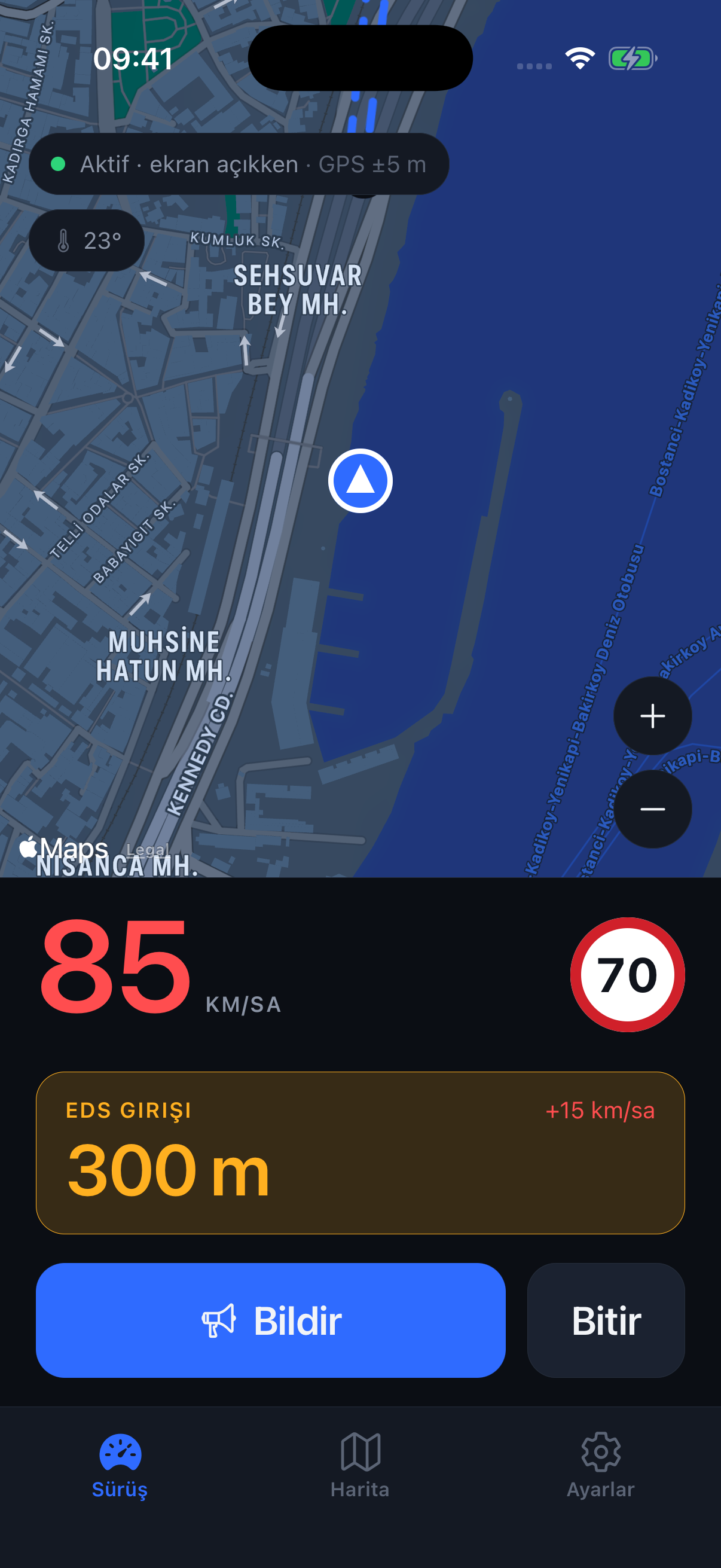
300 m at 30 km/h, 1.5 km at 100 km/h. Spoken: "Camera in one and a half kilometres, limit 70."
-
Average-speed sections
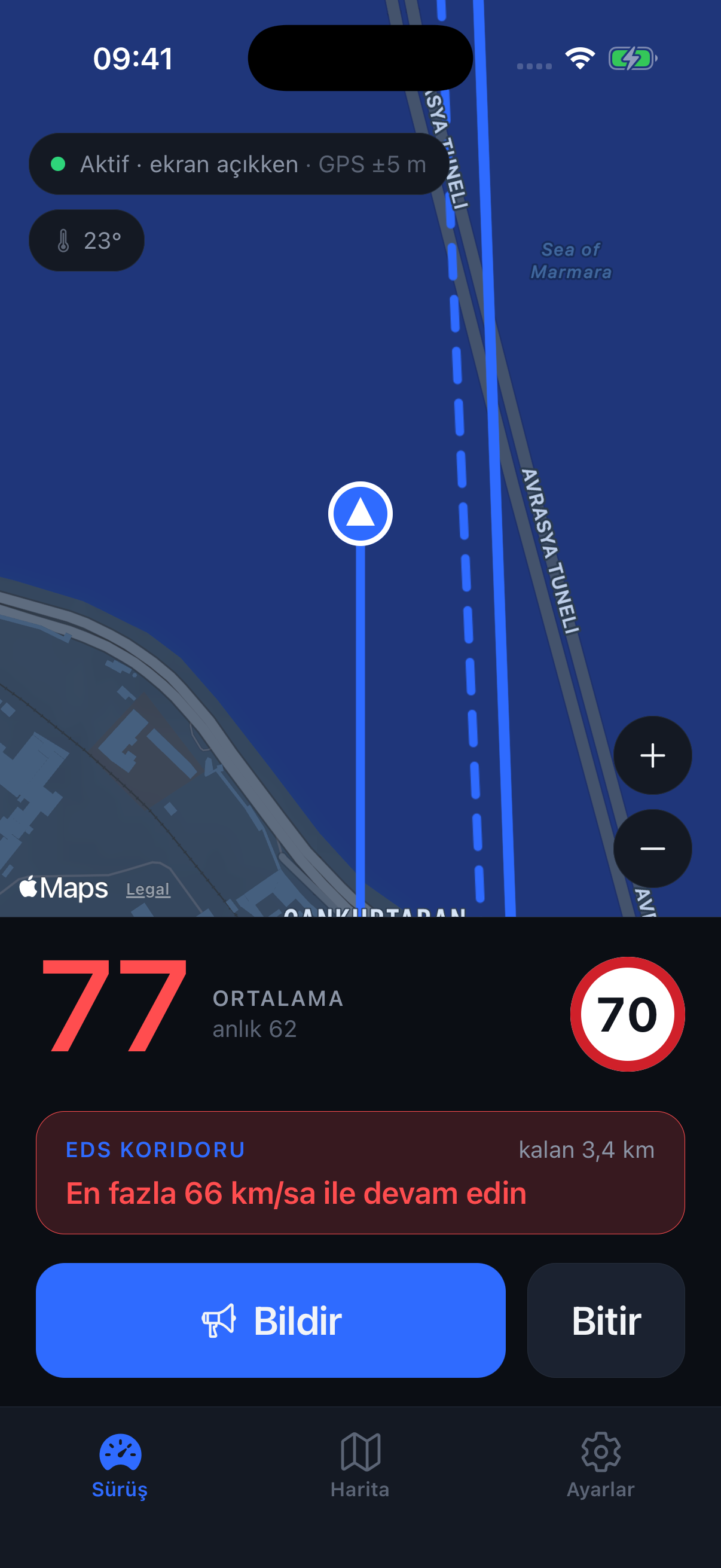
Starts at the entry gate, ends at the exit. Shows your live average and how fast you may still go on the remaining stretch.
-
Only cameras on your road
No alerts for a camera on a parallel street or one you already passed. Heading and lane tolerance are part of the maths.
-
Screen off, still on
Phone in your pocket, screen locked, music playing — the voice comes over Bluetooth, the notification lands on the lock screen.
Getting started
Allow location. Start driving.
-
1
Allow location
Choose "Always"; we ask for nothing else. No sign-up — your device gets a random id.
-
2
Start driving
One tap. Put the phone down; map and speed on screen, alerts by voice.
-
3
Report what you see
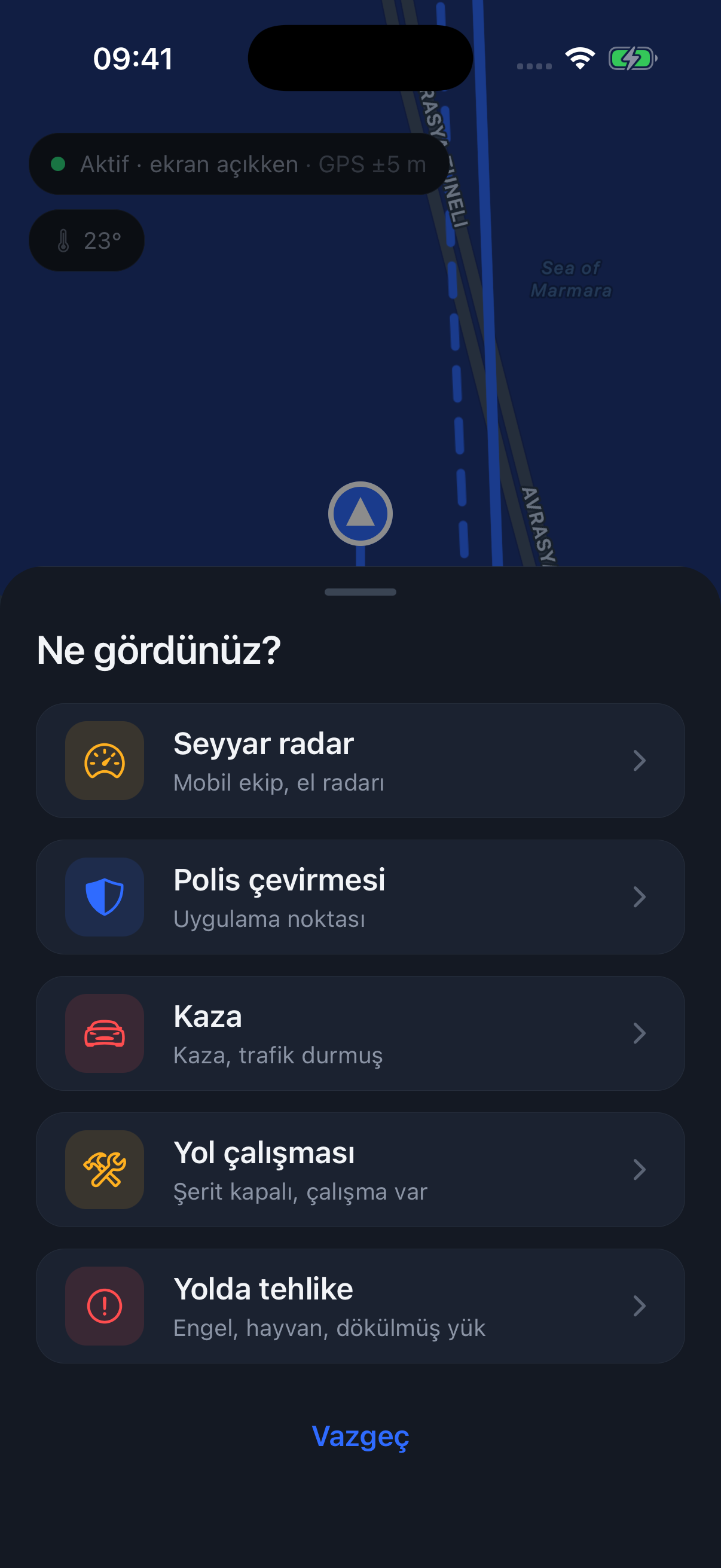
A mobile camera, an accident, road works — one tap. Drivers behind you get warned.
The app
What you’ll see on the road.
Spoken as you approach, shown on screen
First announcement between 300 m and 1.5 km depending on speed. The card turns amber, then red; over the limit it says "slow down, limit 70". The rest of the time the screen stays quiet.
Your average and your margin
The clock starts at the entry gate. The big number is your zone average, next to it your current speed; below, how fast you may still go on the remaining stretch. At the exit it reads the result and closes.
See the cameras on your route first
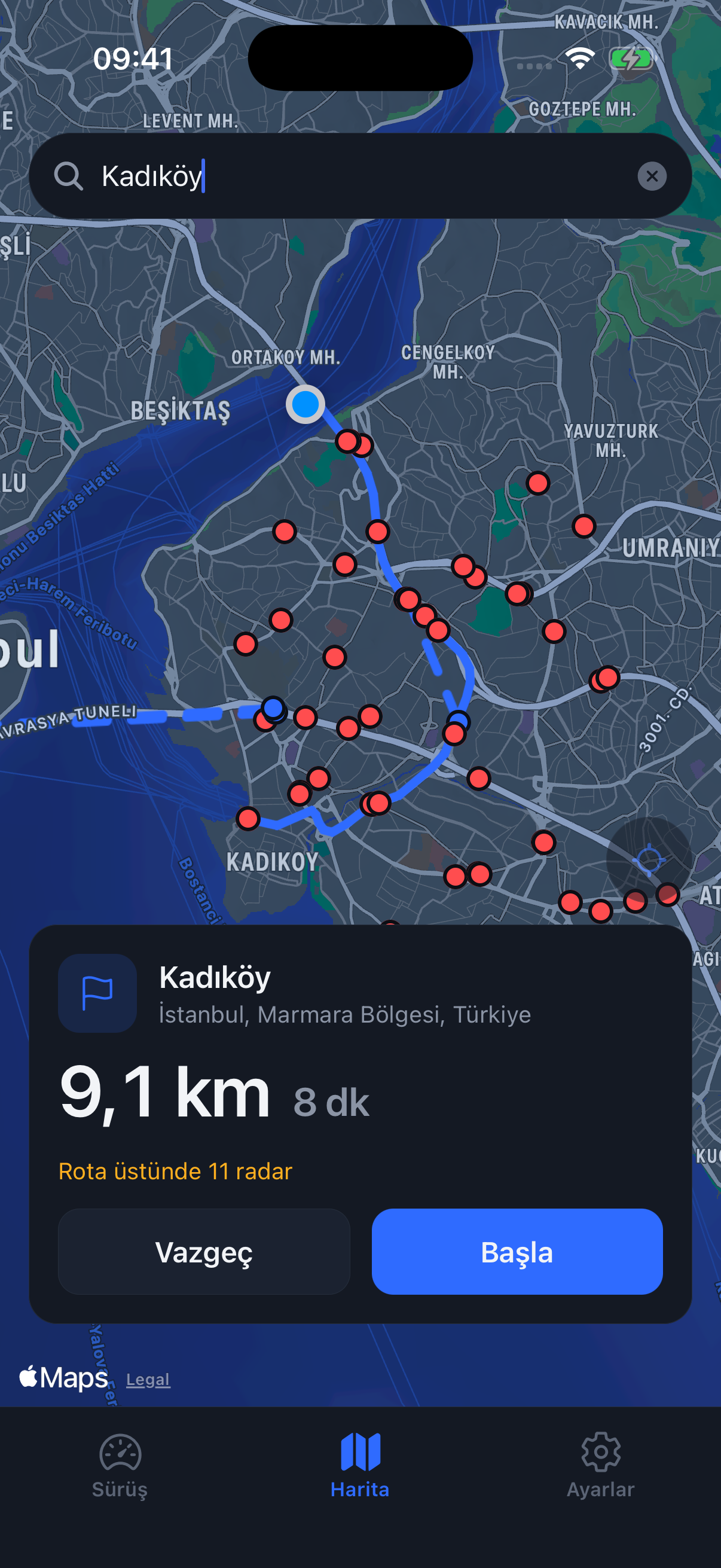
Search an address, see the route and how many cameras sit on it, tap "Start". Turns are spoken; camera alerts keep working independently of navigation.
Driver to driver
Mobile camera, police checkpoint, accident, road works, hazard. One tap; location and type are sent, your name is not. Drivers behind you are warned by what you reported.
A camera inside the zone
If a separate fixed camera shows up while you are in an average-speed section, both are shown: the zone on top, the camera distance below. The nearest one always has priority.




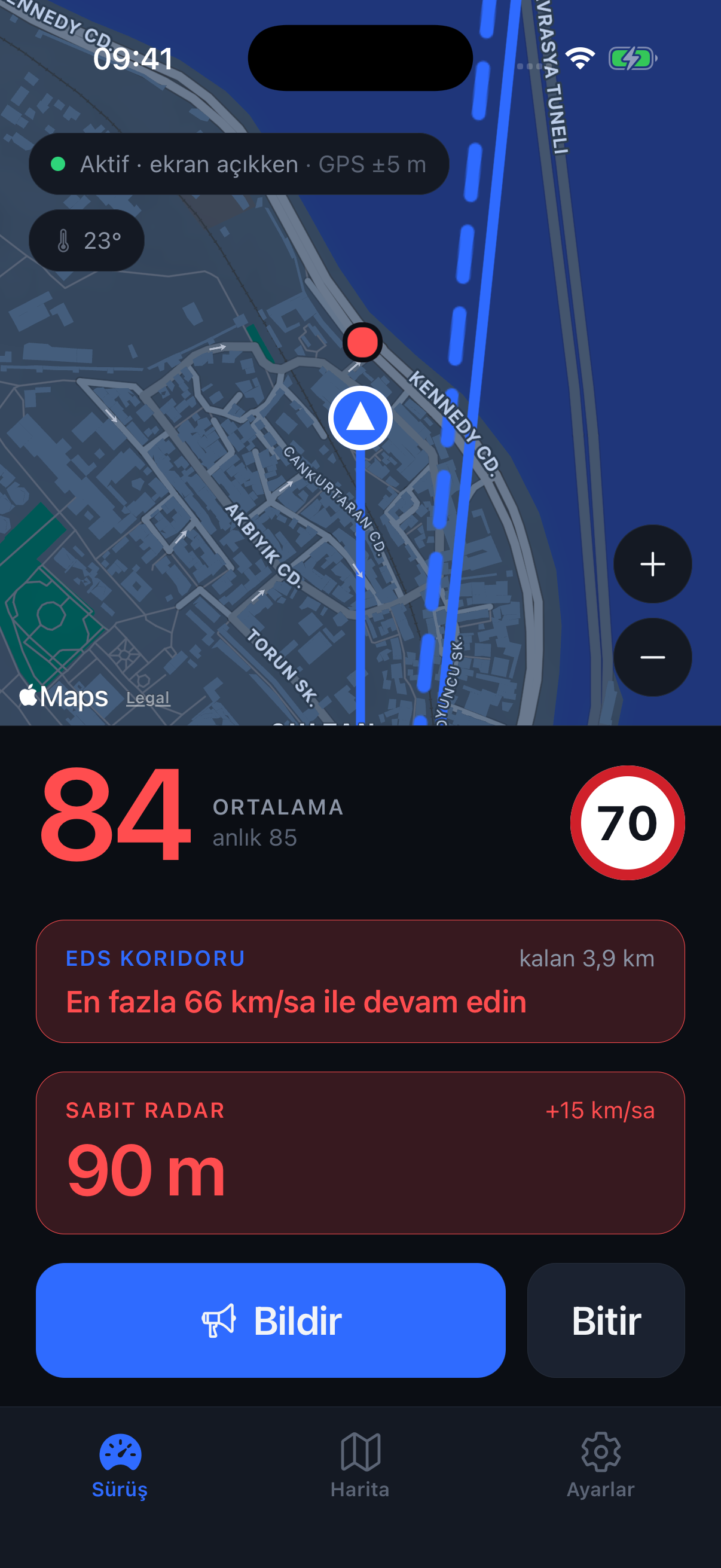
What is an average-speed section?
Average-speed enforcement divides the distance between two cameras by your travel time. Passing the entry at 70 is not enough; your average must stay under the limit until the exit. ALMET starts the clock at the entry, tells you your average and how fast you may still go along the way, and reads the result at the exit.
Road notes
Questions from the road.
A speed camera and an average-speed zone: what changes?
One measures at a point. The other considers the journey between two points. Here is how to read the two alerts.
Read the articleAverage speed is not the average of two readings.
Entering at 60 and leaving at 80 does not necessarily mean an average of 70. Start with distance and time.
Read the articleWhy does the phone sometimes put you on the next street?
Tunnel exits, tall buildings and location signals: a closer look at small jumps on the map.
Read the articleSafety first
ALMET exists to remind you of the limit, not to dodge fines. Fixed camera locations are public data in Türkiye. Don't look at the phone while driving; ALMET talks.